Korgi Blog.

Korgi adds card assignments and new Chat/Notes views and filters

Cover Image for Korgi adds card assignments and new Chat/Notes views and filters
korgiboard
korgiboard
Posted

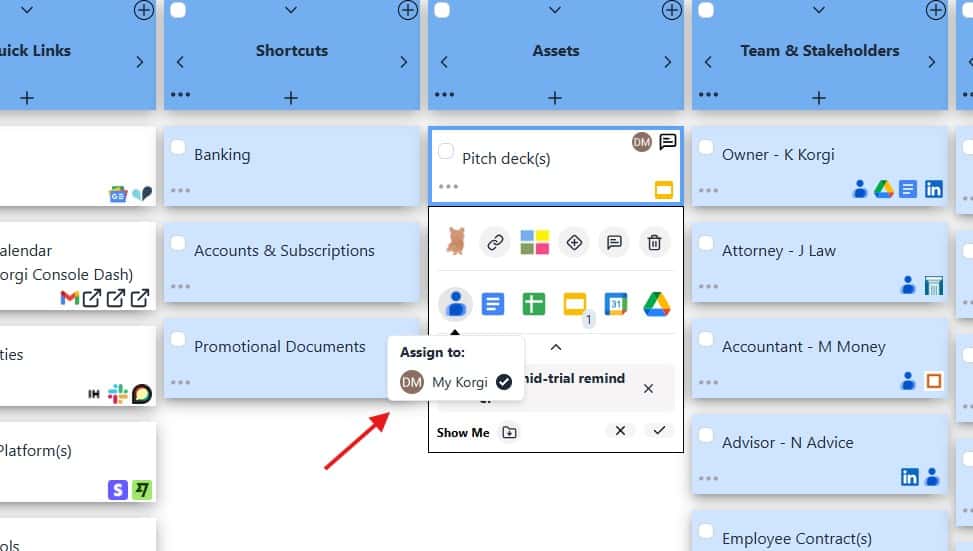
Korgi's connected subtasks just got company, thanks to customer requests! Now you can assign any card on a Korgi board to yourself or a collaborator in a click. Open the card's drawer, hover over contacts, and check the desired assignee(s). Korgi creates and assigns the task in Chat/Notes.

With Chat/Notes quickly becoming our top team feature, Korgi's added two more views to keep easily managing your messages:

  • Board view. View all board messages in nested conversation threads.
  • Chron view (new!). View all messages individually, in date order. It's great for checking the latest messages, and you can expand any message to view its full thread, right in Chron.
  • Card view. View only the messages and threads connected to a specific card. Launch from the card, or select any Chat/Note and use the diamond icon to connect it to an existing card.
  • User view (new!). View only the messages that mention you - perfect for hyperfocusing. You can expand any message to view its full thread.

You also can filter any view to view all tasks or just the open or closed ones.

BONUS: Your Korgi browser tab now displays the count of new messages on your board. Try Chron view to quickly see what's happened since your last read!
More Stories

Cover Image for If your first move with AI is "vibe coding" an app – you're setting yourself back three steps.

If your first move with AI is "vibe coding" an app – you're setting yourself back three steps.

As the tech industry refocuses from generating media and content with AI to the lure of building an app – and, by assumption, a billion-dollar business – with one chat prompt, "vibe coding" has become its own ecosystem. If your plan for a successful business is to first spin up an app, here's why you […]

korgiboard
korgiboard
Cover Image for Clearing your browser tabs with Korgi Clipper just got faster, easier – and mobile!

Clearing your browser tabs with Korgi Clipper just got faster, easier – and mobile!

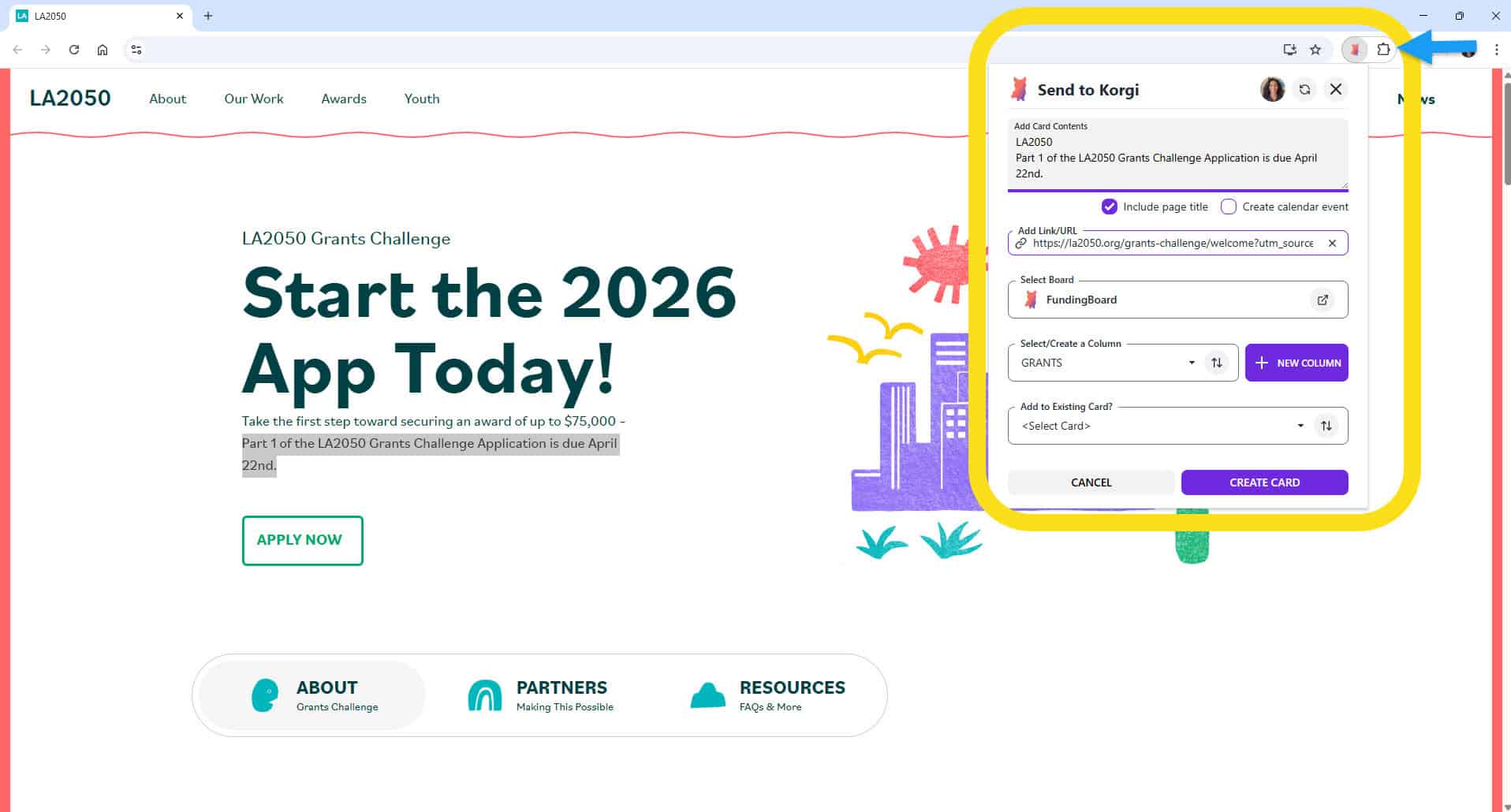
If your project management system still is leaving dozens of tabs open to remind you to do things...this one's for you. The Korgi Clipper Chrome Extension makes it fast, easy, and powerful to build central boards for funding opportunities, research teams, timeline building, and much more – on Chrome, Edge, and other browsers that are […]

korgiboard
korgiboard
Cover Image for NEW! Select multiple assignees when you filter your board

NEW! Select multiple assignees when you filter your board

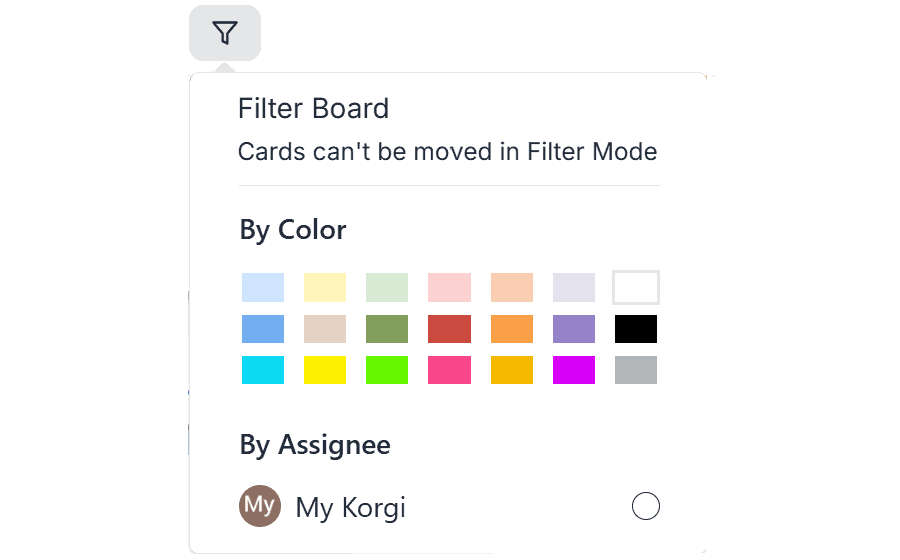
Korgi recently added the ability to filter your boards by card color and by card assignee. When you need to get deeply focused: REMINDER: to change the color of a card, open its "drawer" (select the three dots on the bottom left of any card), then select the color palette icon in the first row […]

korgiboard
korgiboard
Cover Image for Many College Apps are STILL OPEN – Here's How Students and Families Can Navigate Them as a True Team

Many College Apps are STILL OPEN – Here's How Students and Families Can Navigate Them as a True Team

SUMMARY: Watch a lively and practical conversation with Jeanine Mouchawar, certified parenting coach, and DMA Anderson, CEO of Korgi, offering techniques and tools for parents and guardians to effectively navigate college applications with their teens. It's not too late to apply to many great schools – and it's never too late to adapt your communication […]

korgiboard
korgiboard